Answer first
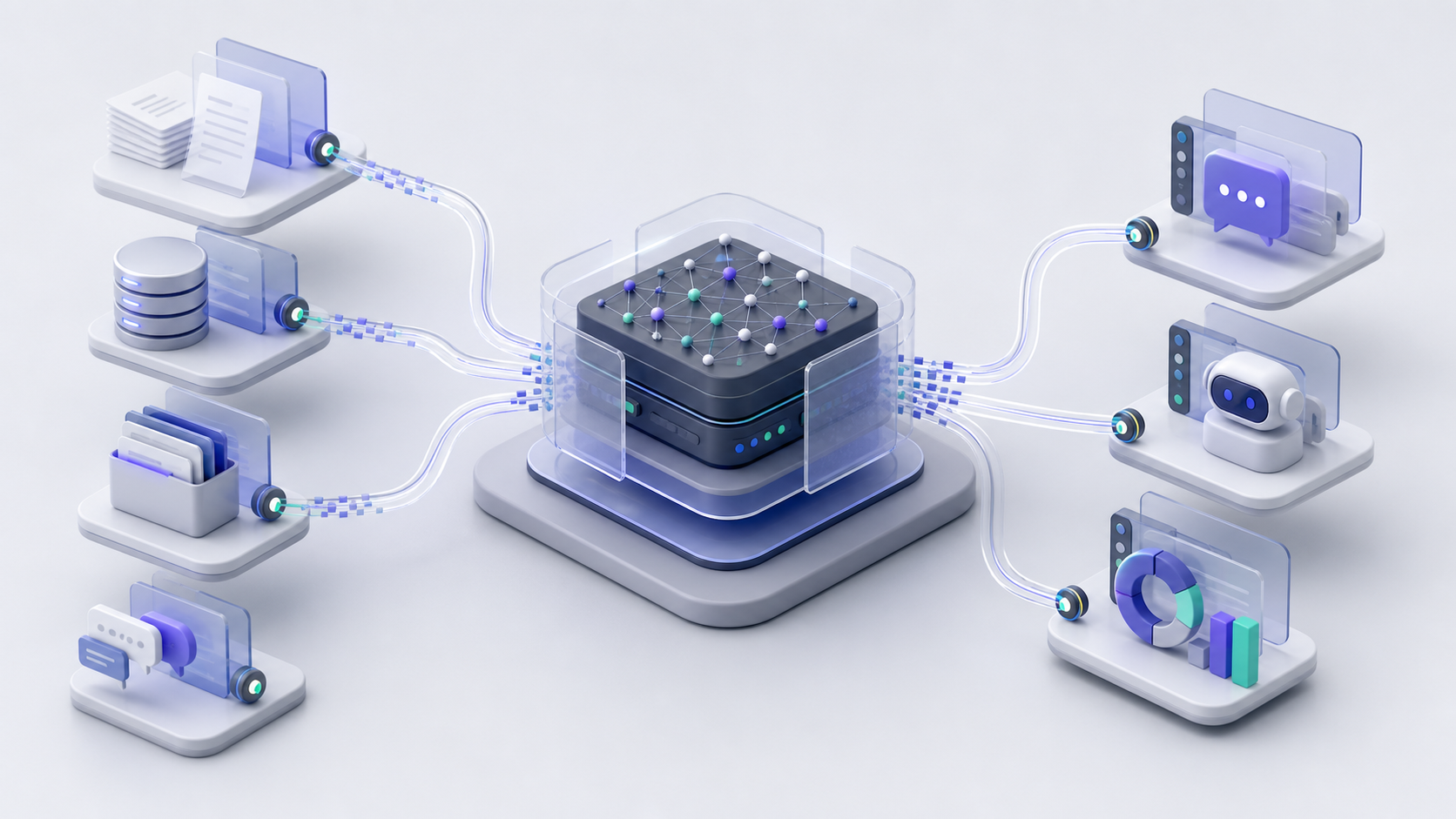
The next great SaaS product might not be another dashboard. It might be the trusted context, API, workflow, or control layer that lets a user's agent do the work safely.
For years, the default SaaS formula was obvious.
Pick a workflow. Build a web app. Add a dashboard. Give users buttons, filters, tables, forms, settings, and reports.
That made sense when humans were the only operators.
But AI agents change the shape of software.
If the user can ask an agent to inspect files, operate a browser, call tools, run checks, read docs, update records, and produce a finished artifact, then the most important question is no longer:
What screen should the user click?
It becomes:
What does the agent need in order to do this job correctly?
That is a different product question.
And it leads to a different kind of SaaS company.
The UI Is Not Dead. It Is Being Demoted.
This is not an argument that interfaces vanish.
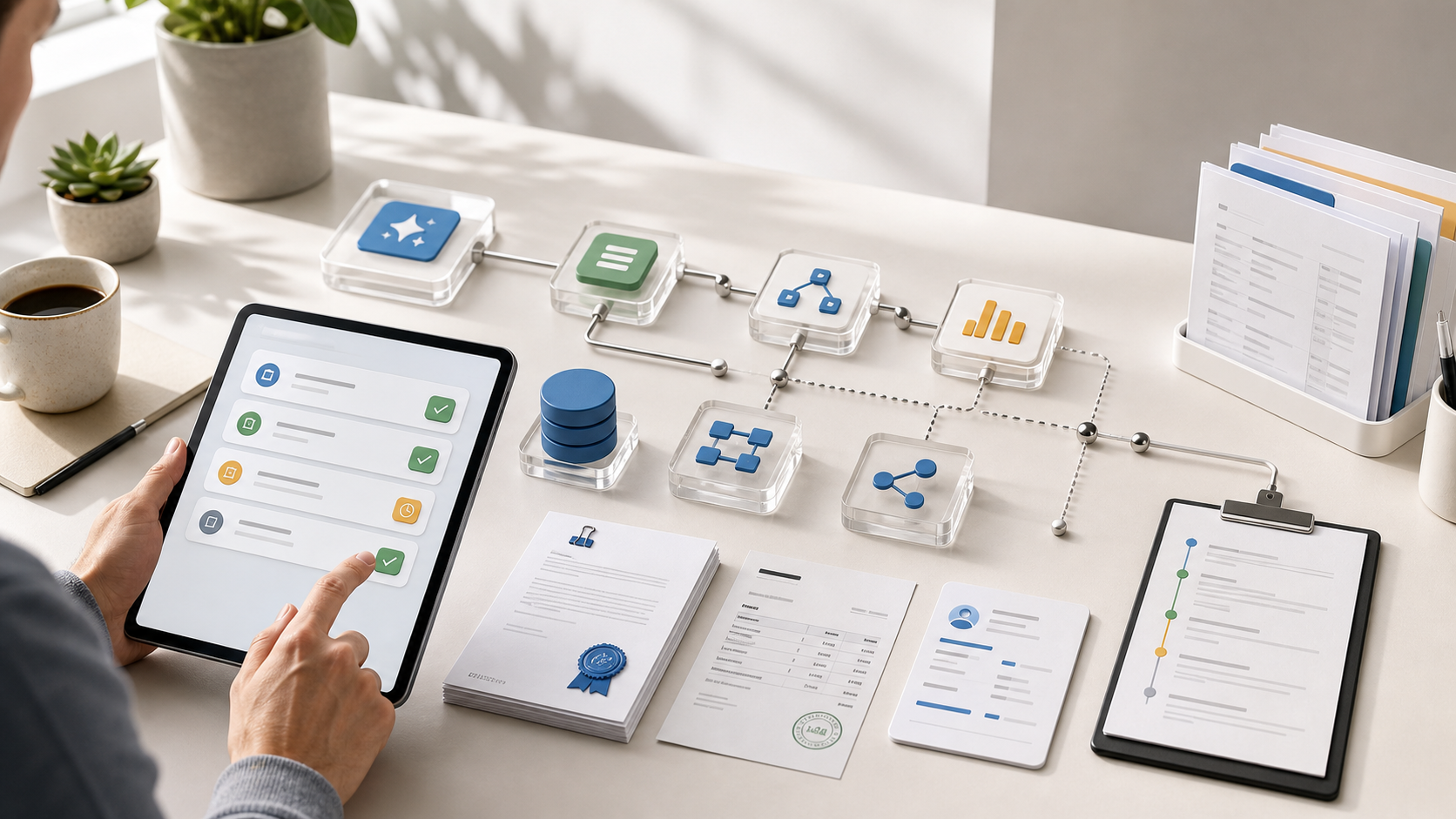
Humans still need places to review, approve, correct, inspect, compare, and override. In regulated workflows, the review surface may matter more than ever.
But the UI is no longer always the product.
For many categories, the UI becomes:
- a review surface
- a configuration surface
- an approval surface
- a debugging surface
- a place to inspect evidence
- a fallback when the agent is uncertain
The actual product moves underneath.
It becomes the context layer, tool layer, permission model, data model, workflow engine, and audit trail that an agent can use.
That is the shift founders should pay attention to.
What Changed
Coding agents are no longer just autocomplete.
OpenAI's Codex quickstart describes Codex across the local app, IDE extension, CLI, and cloud. The docs also describe Codex working with project files, commands, diffs, pull requests, and hosted tasks.
That matters because the agent is no longer trapped inside a chat box.
The same product surface can now be reached through:
- local files
- command-line tools
- IDE extensions
- cloud tasks
- browser previews
- MCP servers
- SDKs
- automations
- desktop computer use
OpenAI's Computer Use documentation says Codex can see and operate graphical interfaces on macOS or Windows for scoped tasks, with permissions and safety boundaries. The in-app browser documentation describes a shared browser surface where Codex can preview, inspect, click, type, and verify local web pages.
The message is not "every app should be automated through a GUI."
The message is sharper:
If your product can only be used by a human clicking screens, it may be harder for agents to operate than a simpler product with better context and tools.
The New Product Question
Old SaaS product question:
How do we make the workflow easy for a human user?
Agent-first product question:
How do we make the workflow legible, callable, governable, and reviewable for an agent working on behalf of a human?
That gives you a different product checklist.
| Old SaaS priority | Agent-first priority |
|---|---|
| More screens | Better context |
| More settings | Safer defaults |
| More buttons | Better tools |
| More dashboards | Better evidence |
| More onboarding | Better agent instructions |
| More exports | Better API and MCP access |
| More activity feeds | Better audit trails |
The agent does not care how polished your sidebar is.
It cares whether the task can be understood, executed, verified, and recovered.
What an Agent-First Product Actually Needs
If I were designing a new SaaS product today, I would think in five layers.
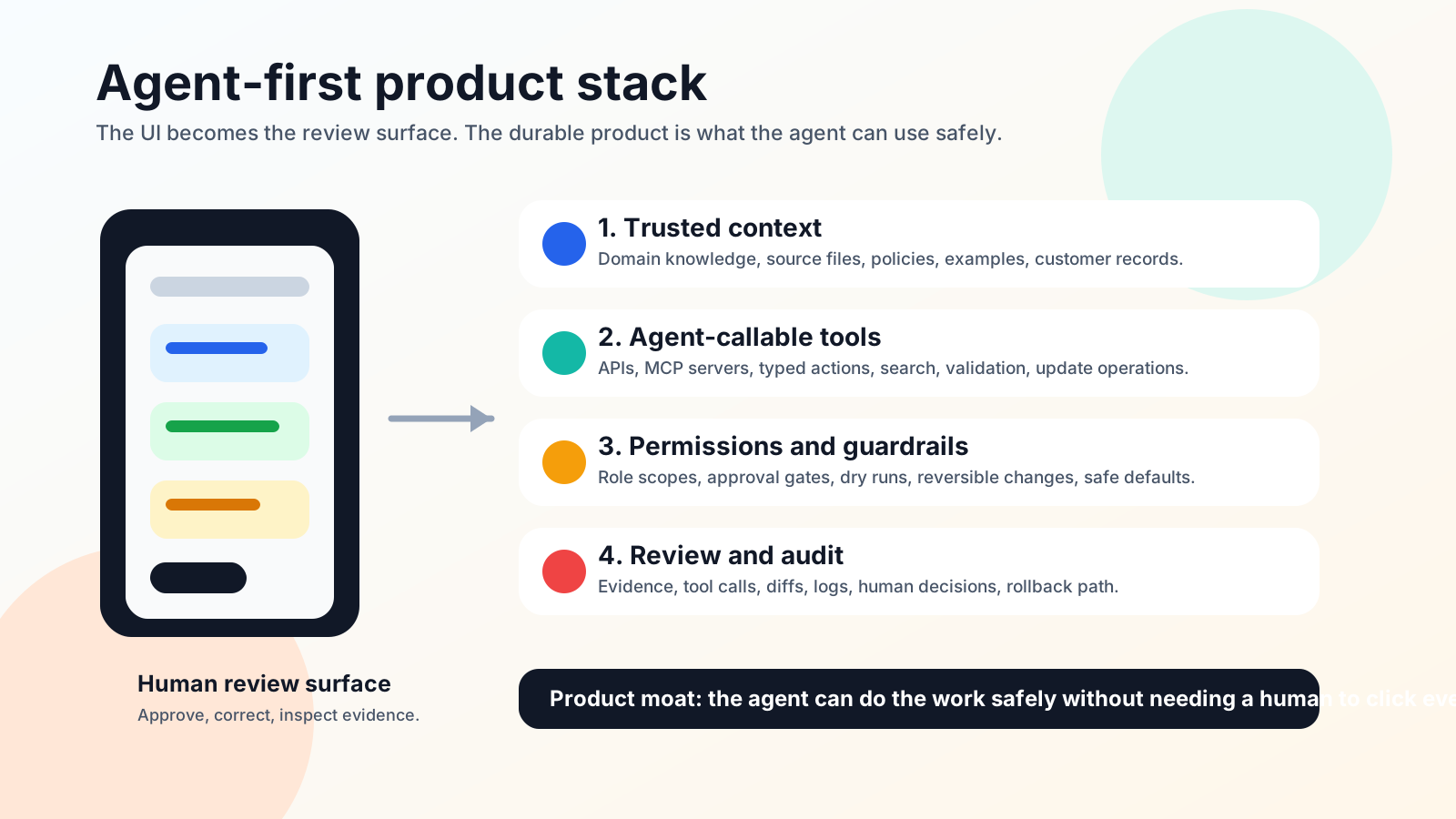
1. Trusted Context
The model needs domain context that is accurate, current, and scoped.
This is the product's real leverage.
In legal software, that might be precedent, jurisdictional rules, document templates, contract clauses, matter history, and firm policy.
In construction software, it might be drawings, BOQs, local rates, specification rules, scope exclusions, and project correspondence.
In sales software, it might be account history, pipeline definitions, buyer notes, product usage, pricing rules, and past objection handling.
The UI can be simple if the context is strong.
The product should answer:
- What does the agent need to know?
- Which sources are authoritative?
- Which facts expire?
- Which context is private?
- Which claims need evidence?
- Which outputs require approval?
If your product owns high-quality context, the agent can do useful work even through a thin interface.
2. Agent-Callable Tools
The agent needs actions it can call safely.
This is where APIs, MCP, SDKs, and typed tool contracts matter.
OpenAI's Model Context Protocol documentation for Codex frames MCP as a way to connect models to tools and context, including third-party documentation, developer tools, browser tools, and Figma. The docs also describe both local and HTTP MCP servers.
That is the product clue.
Your product should not only have a UI.
It should have agent-usable capabilities:
- search this knowledge base
- validate this document
- price this scope
- check this policy
- create this draft
- compare these versions
- update this record
- request approval
- produce an audit packet
The agent interface should be narrower than the human UI.
Agents do better with focused tools than broad "do anything" endpoints.
3. Permissions and Guardrails
An agent-first product must know what the agent is allowed to do.
This is not just authentication.
It is operational permissioning.
Can the agent read the record? Can it edit it? Can it send the message? Can it change pricing? Can it delete a file? Can it publish a result? Can it act without approval?
The product needs:
- role-based permissions
- action-level scopes
- approval gates
- dry-run modes
- reversible changes where possible
- clear error messages
- logs that humans can inspect
Agent-first products that ignore permissions will feel magical in demos and dangerous in production.
4. Review and Audit
Humans move from doing every step to supervising the work.
That means the review surface becomes more important, not less.
The product should show:
- what the agent was asked to do
- which context it used
- which tools it called
- what changed
- what it could not verify
- what requires human approval
- how to undo or revise the result
This is where the UI still matters.
But it is not a giant operating dashboard. It is an evidence surface.
The UI should help the human make a fast, informed decision.
5. Distribution Through Demos
Agent-first products are hard to explain with feature lists.
They are easier to explain with a short demo.
The best demo is not:
Here is our dashboard.
The best demo is:
Here is a real task. Here is the agent doing it. Here is the human approving the result. Here is the finished artifact.
That format compresses the value.
It shows the before, the work, and the outcome.
If you are a founder building in this space, distribution is not something you do after the product is finished. Distribution is how you discover whether the market understands the job.
Good demos are short:
- one user
- one problem
- one surprising action
- one outcome
- one clear before-and-after
Do not demo your settings page.
Demo the moment where the work collapses from an hour to a minute.
Why "Less UI" Can Be a Better Product Strategy
Less UI does not mean less product.
It means less surface area for humans to operate manually.
It can mean more investment in:
- schema design
- APIs
- MCP tools
- permissions
- evals
- source grounding
- workflow state
- reusable prompts
- logs
- deployment surfaces
- review flows
OpenAI's Codex SDK documentation is another signal here. It describes controlling Codex programmatically from applications, CI/CD pipelines, internal tools, and custom workflows.
The product opportunity is not only "build a better app."
It is:
Build the thing agents can use from inside the user's actual workflow.
That might be an MCP server. It might be an API. It might be a plugin. It might be a hosted review surface. It might be a knowledge layer. It might be an automation that reports findings into an inbox.
OpenAI's Codex Automations documentation describes recurring background tasks that can use skills and plugins. The Sites documentation describes Codex creating, saving, deploying, and inspecting hosted websites and apps.
These are not isolated features.
They point toward the same design direction:
Software is becoming something agents can operate, not only something humans open.
What I Would Not Build
If I were starting an AI SaaS company today, I would be cautious about building a product whose only moat is:
- a nicer dashboard
- a prettier upload flow
- a generic chat wrapper
- a thin CRUD app
- a "copilot" bolted onto an old workflow
- a workflow that only works if the user manually clicks through every screen
Those can still be businesses.
But they are easier to replace.
If the valuable part of the product is the UI, and the agent can bypass the UI, the product gets squeezed.
What I Would Build Instead
I would look for a workflow where:
- the domain context is hard to assemble
- mistakes are expensive
- the user already has documents, files, tickets, emails, or records
- a human still needs to approve final actions
- the work has repeated structure
- the output can be verified
- agents need better tools than a browser click path
Then I would build the agent-facing product layer first.
For example:
| Category | UI-first product | Agent-first product |
|---|---|---|
| Legal | Upload docs into a review app | Legal context, clause tools, citation checks, approval packet |
| Sales | Pipeline dashboard | Account context, next-step generator, CRM-safe update tools |
| Construction | BOQ review screen | Drawing parser, rate context, scope validation, audit trail |
| HR | Policy chatbot | Policy context, case intake, escalation rules, evidence bundle |
| Finance | Reporting dashboard | Data checks, variance explanations, controlled report generation |
The human may still see a beautiful interface.
But the agent does not depend on it.
The Founder Playbook
If you are early, do not hide in product-building mode forever.
Build a small agent-first wedge and demo it.
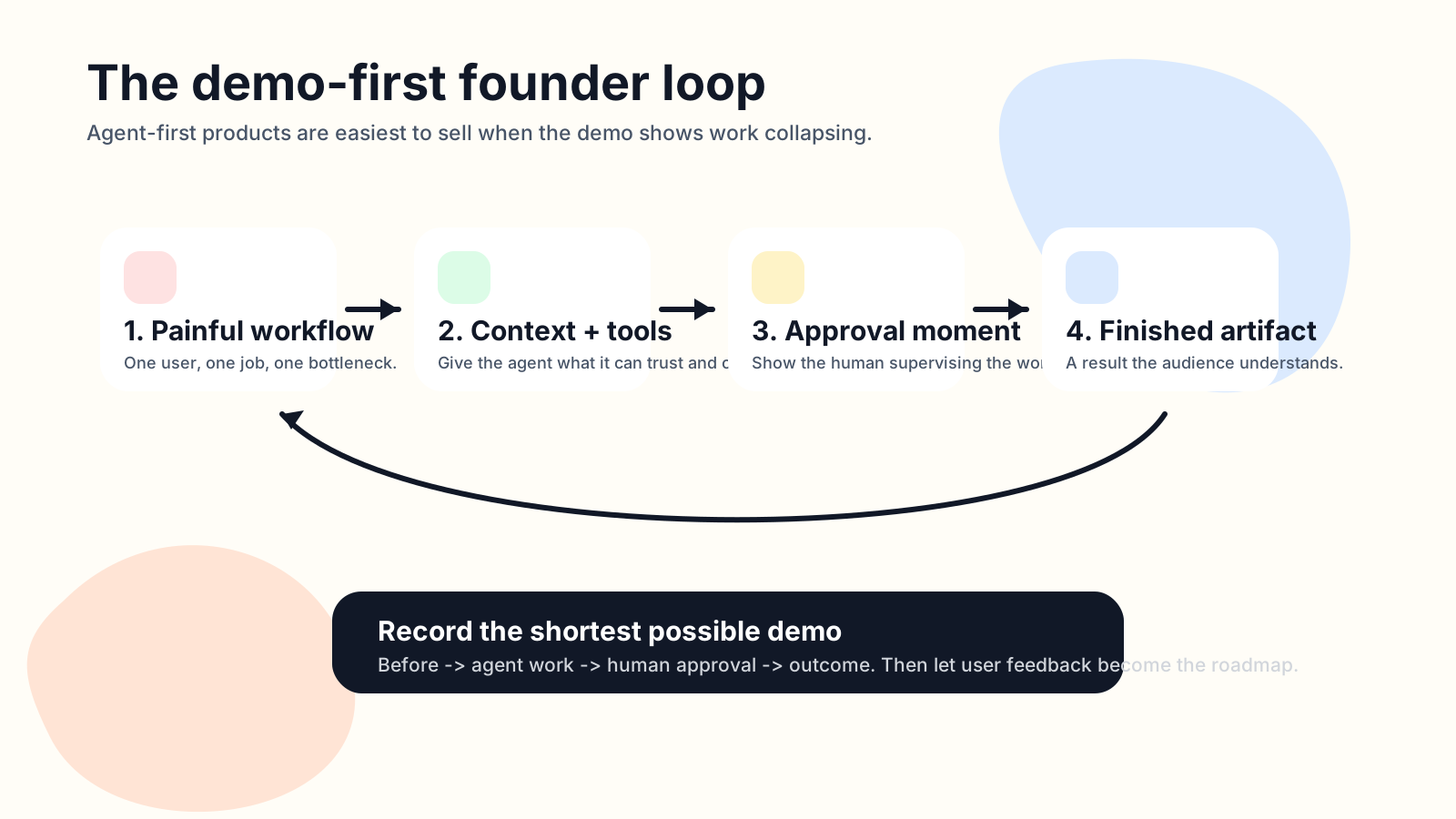
Use this sequence:
- Pick one painful workflow.
- Give the agent unusually good context.
- Build one or two narrow tools the agent can call.
- Add a human approval step.
- Record a short demo of the workflow collapsing.
- Put it in front of the exact people who feel that pain.
- Watch where they ask, "Can it also do this?"
That question is your roadmap.
Do not start with twenty features.
Start with one moment that makes the future obvious.
The Hard Part Is Still Taste
Agent-first does not mean product taste disappears.
It raises the bar.
The founder still has to decide:
- which workflow matters
- which context is valuable
- which actions should be allowed
- which failures are unacceptable
- where the human should approve
- what the demo should show
- what the company should stand for
The model can do more of the work.
But the founder still chooses the game.
Final Take
The next SaaS product might not need a traditional UI because the user might not be the person operating the software.
Their agent might be.
That does not make design irrelevant.
It changes what has to be designed.
Design the context. Design the tools. Design the permission model. Design the review surface. Design the demo. Design the handoff between human judgment and machine execution.
The dashboard is no longer always the product.
Sometimes the product is the layer that lets the agent do the work.